
YouTube, in English
AI pulls out a video's key points and answers your questions. It also translates subtitles and foreign-language text on the page into English.
Free to use every day·Pro $9.99/month
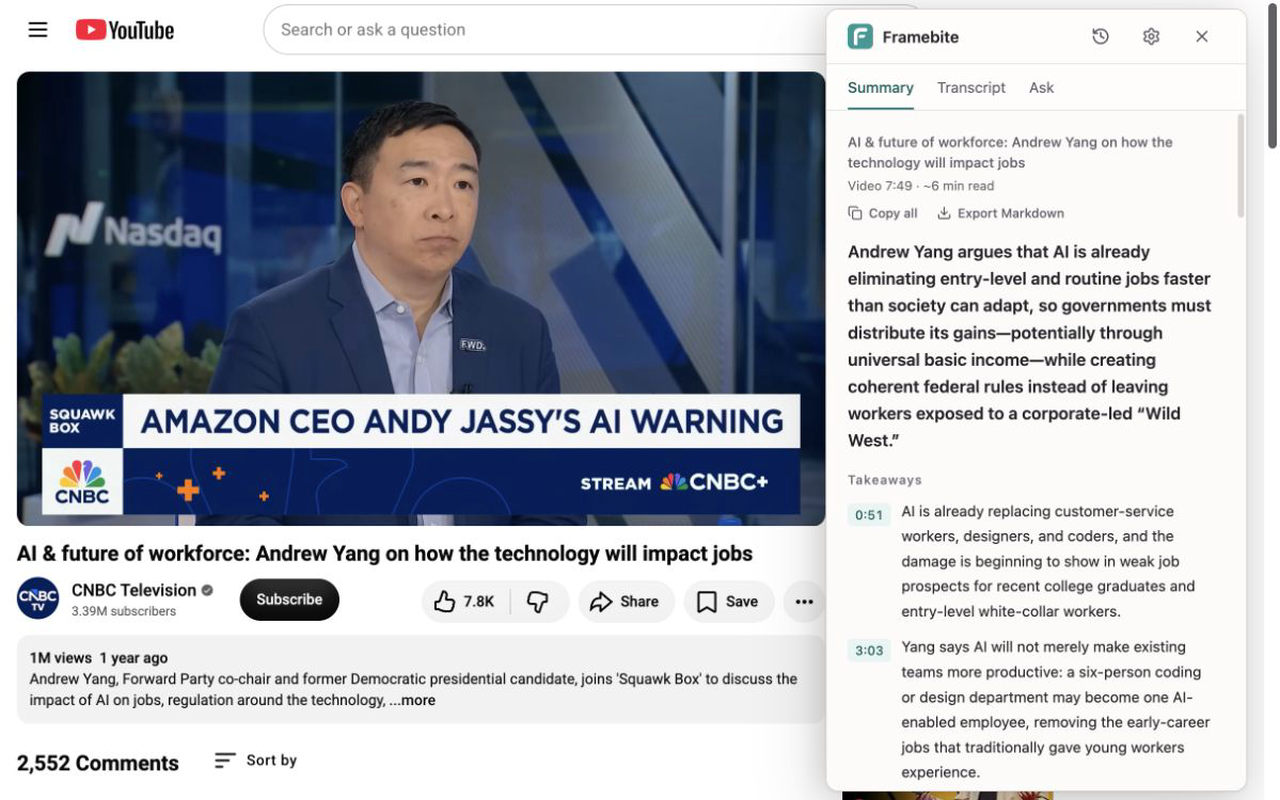
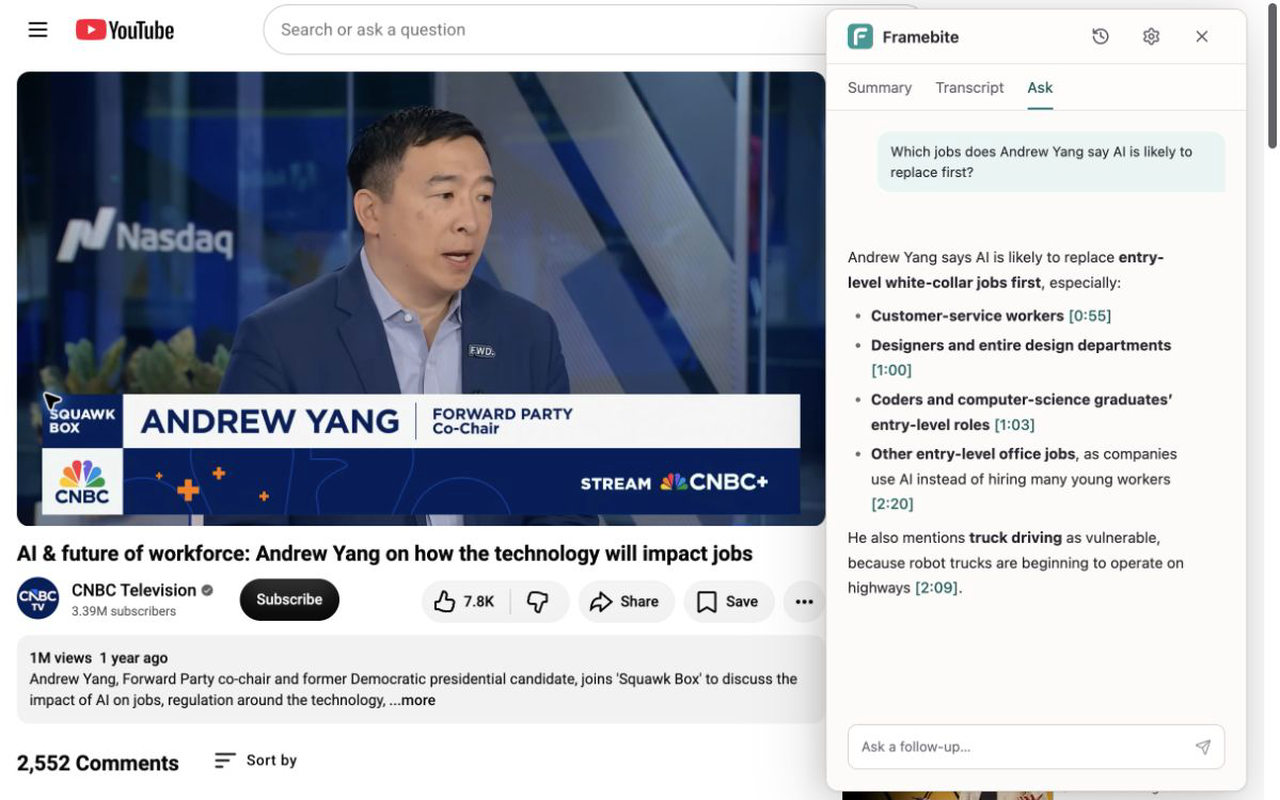
Summaries and Q&A
-
Summary
Understand the main ideas in minutes. Click a timestamp to jump back and check the original video.
-
Q&A
Ask about anything you did not understand. When an answer refers to a specific part, it includes a timestamp so you can check it.
Subtitles and translation
-
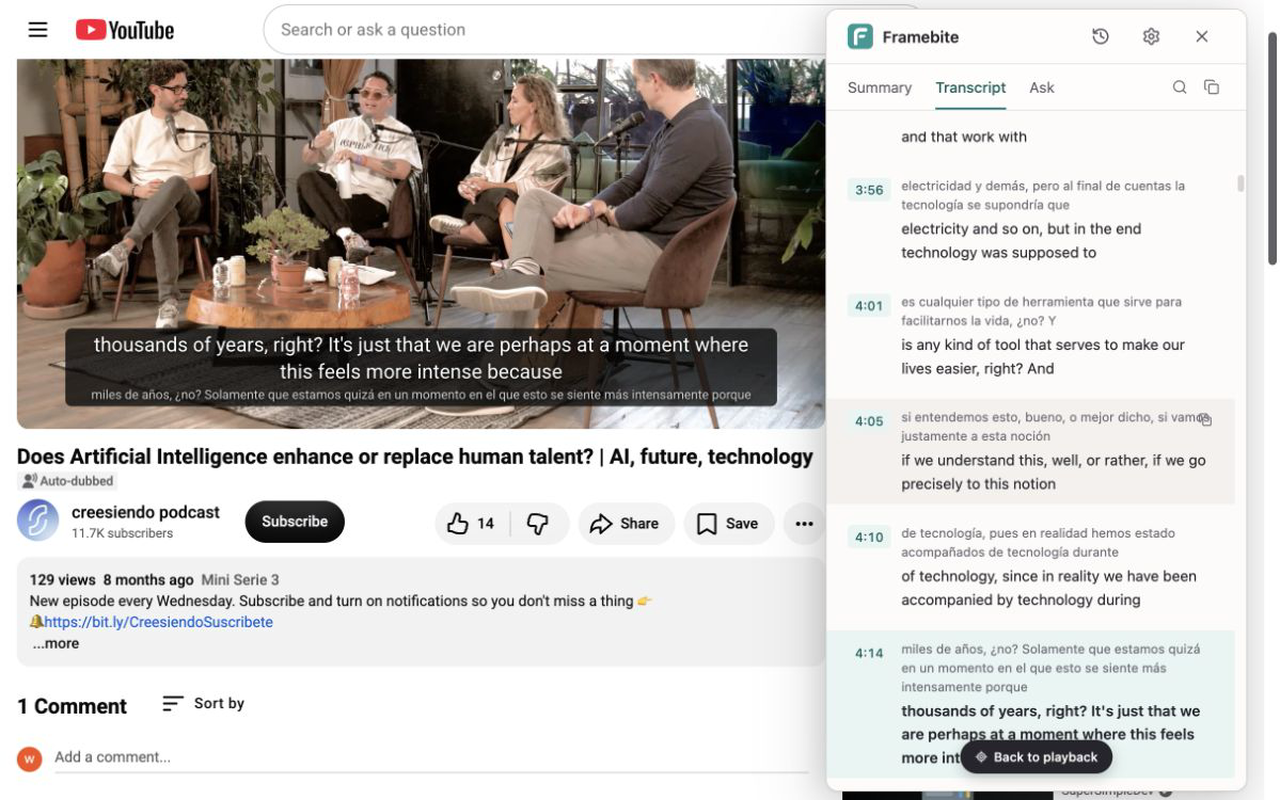
Subtitle translation
AI translates the full captions sentence by sentence — read the original and translation together.
-
High-accuracy captions
When a public video has no captions, Pro users can generate high-accuracy captions, then translate, summarize, and ask questions as usual. Captions someone else already generated are free for everyone.
-
Page translation
Turn on page translation and video titles on the home page and in search results, plus descriptions and comments on the video page, appear in your language next to the original.
Start free. Upgrade when you need more.
Free
- 100 points per day, shared across subtitle translation, page translation, summaries, and questions
- Summarize videos up to 2 hours
Points reset daily. Unused points do not carry over.
Pro
- 25,000 points per month, shared across subtitle translation, page translation, summaries, and questions
- 1,000 minutes of high-accuracy captions per month, up to 6 hours per video
- Summarize videos up to 6 hours
Install Framebite and sign in to upgrade.
What you should know
Framebite currently supports YouTube.
Yes. For a public YouTube video without usable captions, a Pro user can request high-accuracy captions. The monthly allowance is 1,000 minutes, with a 6-hour limit per video. Captions other people already generated stay free for everyone.
Points are the shared usage unit for subtitle translation, page translation, summaries, and questions. They are counted by how much content is actually processed: longer videos and denser captions use more points. Reopening a result that was already generated uses no points. Free points reset daily, Pro points reset monthly, and unused points do not carry over. For a 1-hour video, a summary uses about 40 points and subtitle translation about 100–150; a first question uses about 6–10 points, and a follow-up about 5.
After you sign in, you get 100 points per day for subtitle translation, page translation, summaries, and questions. Points reset daily.
The interface and AI output support English, Chinese, Japanese, and Korean. You can summarize and ask questions about any YouTube video with usable captions, including videos already in your language. Subtitle translation and page translation only translate content in a language different from yours. See the in-app list for available translation languages.
Yes. High-accuracy captions, summaries, subtitle translations, page translations, and answers are generated on the server. Sign-in is used to track your allowance and subscription status.
When you summarize or translate subtitles, information about the video and its captions is sent to Framebite and its AI providers. When Framebite translates titles, descriptions, and comments on YouTube pages, that text is sent too. When you ask a question, your question is sent as well. If you explicitly request high-accuracy captions, the audio is uploaded to Framebite’s private cloud storage and sent to a speech-to-text provider for transcription. Temporary audio is deleted after processing and retained for no longer than 24 hours. The captions may be retained as a shared asset for that public video. See the Privacy Policy for each provider and what it does.